Tutorial: Handling State in Flutter with ReduRx.
One the of the hardest things in development - IMHO - after naming, is handling State, at least handling it reactively without overs (over-building, over-rendering, over-paintin...

One the of the hardest things in development - IMHO - after naming, is handling State, at least handling it reactively without overs (over-building, over-rendering, over-painting and overhead!).
Let’s get started!
No secret:
flutter create geo_tag_diary
Open it in your favorite editor, I personally like VSCode, so code geo_tag_diary, then add flutter_redurx in your dependencies key at pubspec.yaml. Let you editor get the dependencies again or run in the project folder: flutter packages get.
dependencies:
  flutter_redurx:
  flutter:
    sdk: flutter
Now let’s create a very basic app just to see it working in the device/emulator/simulator (you name it).
Create a lib/app.dart file and add the contents:
https://medium.com/media/1bf812c62600169ed1da9298d6702138/href
And replace everything at lib/main.dart by:
https://medium.com/media/63287de8590c60d120a70e5c383fe3f6/href
Run the app, you should be seeing It works on the center of the screen. And you know what this means, it means our greenfield is working!
Adding Flutter-ReduRx
Let’s change it a little bit so we can see some Flutter-ReduRx magic happening.
First, we create the class that will represent our State, I’ll call it Diary and place it at lib/diary.dart:
https://medium.com/media/c63e663d38c683d481a0d1a27ba7b8e3/href
Then we change lib/main.dart to create the initial State, give it to a Store and give the Store to a Provider:
https://medium.com/media/9ef4ddcb333cb22ca70cde3b6650f2e1/href
Flutter-ReduRx is a companion between Flutter’s bindings (Provider & Connect) and ReduRx state management (thought Store & Action).
Let’s see what this Connect means in the newlib/app.dart. Please, read the comments on the code:
https://medium.com/media/c1510dcf39e1dda52b05abac3ef9567a/href
Right, but all of this could just be replaced by the new message on the greenfield version…
We are going to see the why now!
Mutating the State with Actions
Actions are the last concept here and will close de Flux model.
Let’s create an Action that mutates our previous initial State by a new message. At lib/actions.dart:
https://medium.com/media/3e4aa7a8108ed4405b2ded981ee2cbb3/href
To dispatch this Actions we can call dispatch method on the Store. Pay attention to the comments again, please.
And note that we changed lib/app.dart to handle more components on a Column.
https://medium.com/media/dd7155b7979e9cb53629bce2e0cb0edb/href
Pretty cool! But life isn’t made about hard-coded constants. We talk to databases, another applications and services in general…
Here comes AsyncActions
Just like Actions, but with the power of Dart’s Async constructs.
Let’s improve our Diary with cool random quotes to make your day greater. I’ll be using Tadas Talaikis API (no good reason, just Googled about “free quote api”) and HTTP abstraction from http package. The lib/actions.dart should look like:
https://medium.com/media/728af8b3676bebffba9b15f3556bc202/href
We should update lib/app.dart to call our newly created AsyncAction. As always, please continue the read by taking a look at the comments on the code:
https://medium.com/media/ec613b36f6cb0295c4a9e9bfa47944ca/href
The result
https://github.com/leocavalcante/Flutter-ReduRx-GeoTagDiary/tree/part-1
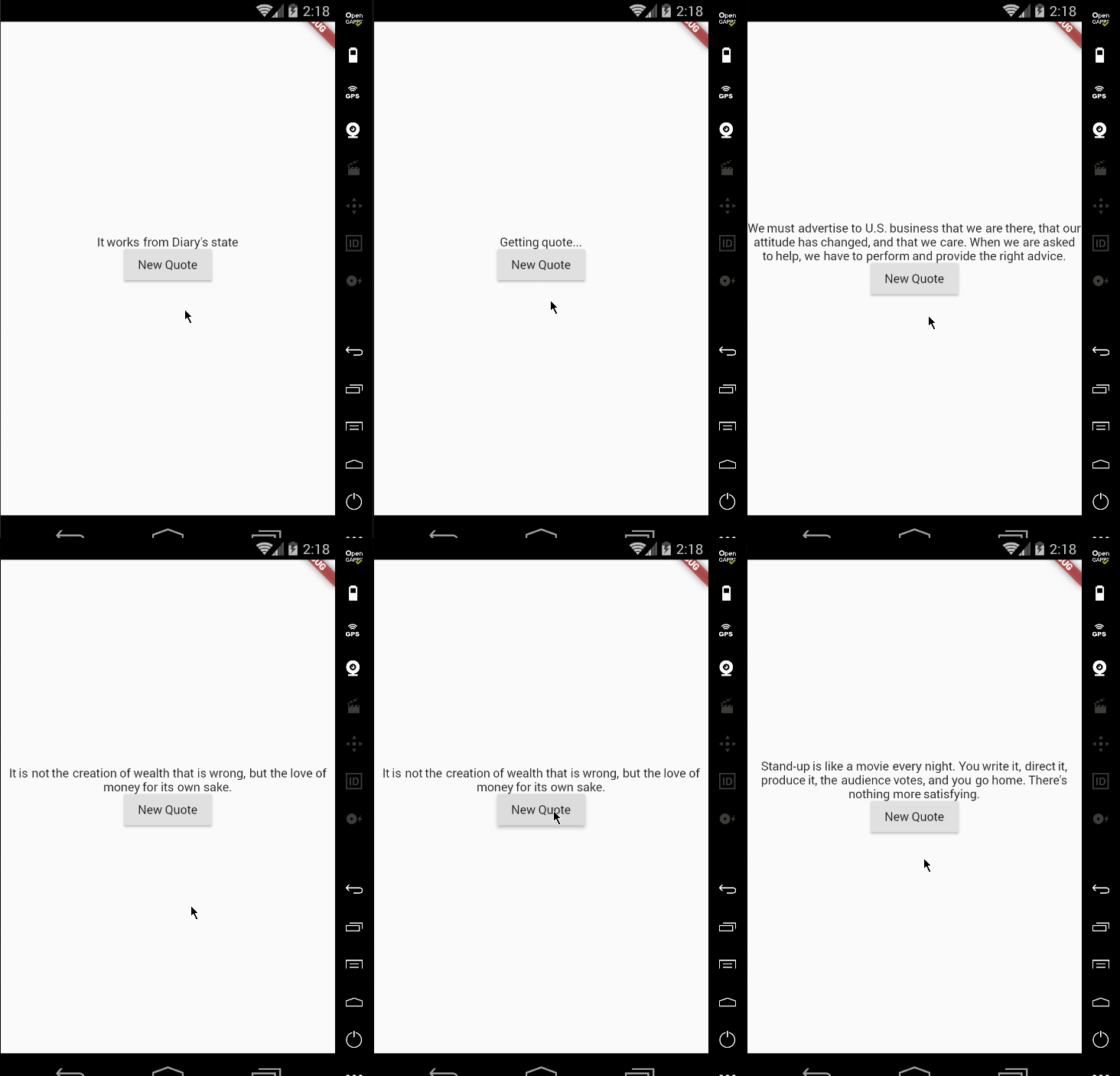
Why this is called “GeoTagDiary” and there is a “part 1”? Because one single String is easy, there is more to come! Stay tuned!
Thanks!
The Flutter Pub is a medium publication to bring you the latest and amazing resources such as articles, videos, codes, podcasts etc. about this great technology to teach you how to build beautiful apps with it. You can find us on Facebook, Twitter, and Medium or learn more about us here. We’d love to connect! And if you are a writer interested in writing for us, then you can do so through these guidelines.